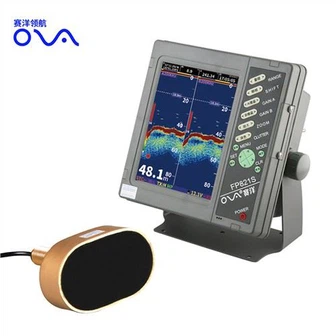

How to Read the Side Imaging on a Marine Transducer
How to Read the Side Imaging on a Marine Transducer?
What is Side Imaging?
Side-Scan focuses on both port and starboard sides of the boat, not scanning right below the boat.
Side-Scan helps your boating and fishing operation in the following ways.
See the shape of structures for fishing inshore or along the coast
Find your own bottom structures, which are not shown on charts
Avoid risk of collision by unintentionally drifting into shallow areas
See fish off to the sides
See the presence of fish targets around structures before casting a lure or jig
Side Imaging Display
The first thing you'll notice when you turn on a side imaging fishfinder is the display. To make sense of the information being displayed, it's important to understand what you're looking at. The side imaging display will typically show you a split screen with a standard sonar view on the right and a side imaging view on the left. The sonar view shows a real-time image of what's below your boat, much like a traditional fishfinder. The side imaging view, on the other hand, shows a detailed image of the ocean floor to the right and left of your boat.
Interpreting the Display
Once you know what the display is showing you, it's time to interpret that information. The key to reading side imaging is to understand what the different colors and shapes on the screen represent. Here are a few key things to look for:
- Structures: Look for any structures that might indicate the presence of fish. These can include rocks, trees, or other objects on the ocean floor.
- Shadows: The sonar display will show you shadows that indicate the presence of objects underwater. The side imaging display can help you confirm if those shadows are fish or something else.
- Colors: Different colors on the side imaging display represent different depths. Warm colors like red and orange indicate shallow water, while cool colors like blue and green indicate deeper waters.
Putting it All Together
To effectively use side imaging, you need to be able to put all the information together. For example, if you see a cluster of rocks on the side imaging display, you can check the sonar display to see if there are any fish around those rocks. If you see a school of fish on the sonar display, you can check the side imaging display to get a better sense of the structure around them. By combining the information from both displays, you can get a much more accurate picture of what's happening beneath the surface.